
AstonJ
How to block any website on Mac using Little Snitch
If you want a quick and easy way to block any website on your Mac using Little Snitch simply…
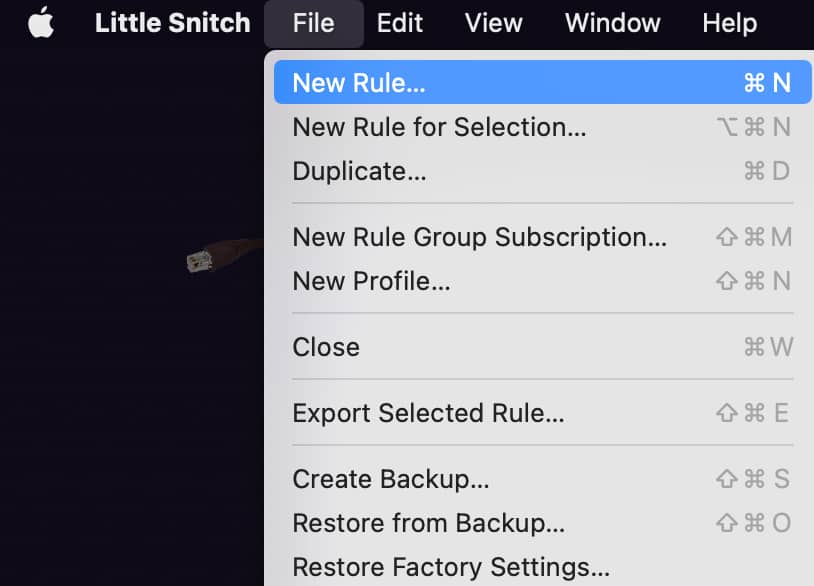
File > New Rule:
And select Deny, Outgoing Connections, Domains and then type the domain, eg:
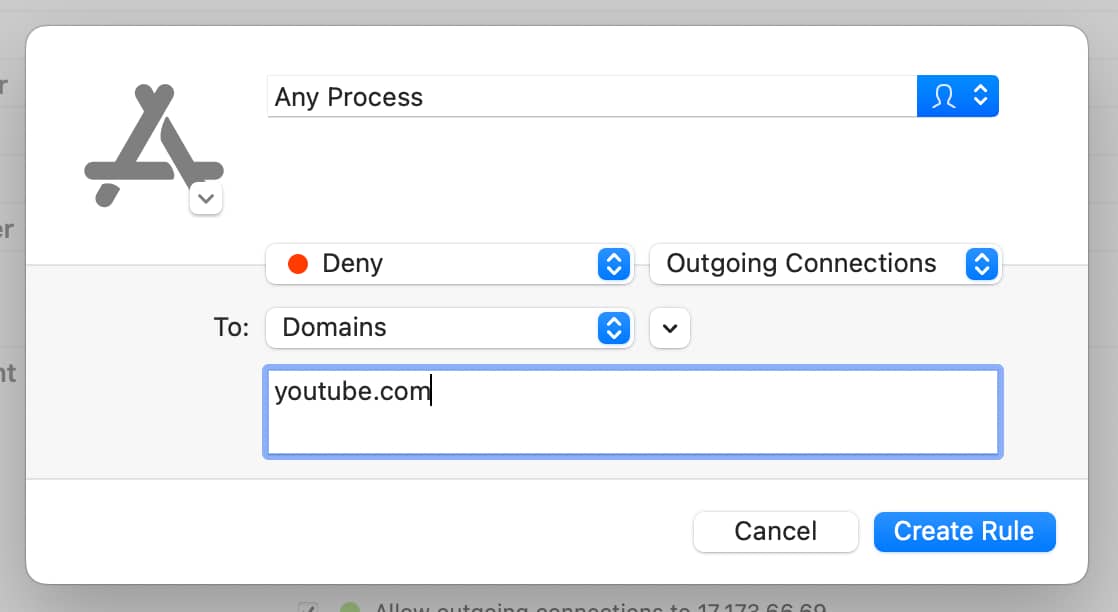
Click on create and you’re good to go 
Most Liked

apsori
Nice recommendation. Thanks for this. Does Windows have a similar one?

DevotionGeo
For me Mac’s built-in features like Downtime (with a few apps Always Allowed) and App Limits (where you can also limit time for certain websites), work fine.
AstonJ
I did look at Screen Time but I don’t want even more stuff stored (synced-via) the cloud…
Not sure, do you have anything like Little Snitch for Windows? If so it should be easy enough 
Popular Macos topics







Other popular topics

Sponsor Spotlight

Supporting innovation across the BEAM ecosystem.

Categories:
Sub Categories:
Popular Portals
- /elixir
- /rust
- /wasm
- /ruby
- /erlang
- /phoenix
- /keyboards
- /python
- /js
- /rails
- /security
- /go
- /swift
- /vim
- /java
- /clojure
- /typescript
- /emacs
- /haskell
- /svelte
- /onivim
- /kotlin
- /react
- /c-plus-plus
- /crystal
- /tailwind
- /gleam
- /ocaml
- /elm
- /vscode
- /flutter
- /html
- /deepseek
- /ash
- /zig
- /opensuse
- /php
- /centos
- /react-native
- /scala
- /lisp
- /textmate
- /sublime-text
- /nixos
- /debian
- /deno
- /agda
- /django
- /kubuntu
- /nodejs
- /arch-linux
- /ubuntu
- /spring
- /revery
- /manjaro
- /julia
- /lua
- /quarkus
- /diversity
- /laravel
Devtalk Sponsors

Practical resources that improve the lives of professional developers.

We build trusted fault-tolerant systems that scale to billions of users.

Real-time error tracking, performance insights, and observability for devs.
Supporting innovation across the BEAM ecosystem.

We build reliable cloud platforms for business-critical systems.

Develop your skills with books, videos, and courses.

Catch errors, track performance, monitor hosts and more.

Enabling companies to succeed by building software people love.

Courses that move you from confusion to "Aha, now I get it!"

Publishing Linux Magazine, ADMIN, and MakerSpace for 25+ years.