
xiji2646-netizen
Claude Code Skills: The Official Playbook from Anthropic’s Engineering Team
You guys aren’t gonna believe this.
Anthropic‘s engineers just dropped a goldmine — a deep dive into how they’re actually using Claude Code Skills internally. We‘re talking hundreds of skills in production, every pitfall in already stepped on, distilled into one practical guide.
You telling me this isn’t worth a closer look?
Press enter or click to view image in full size
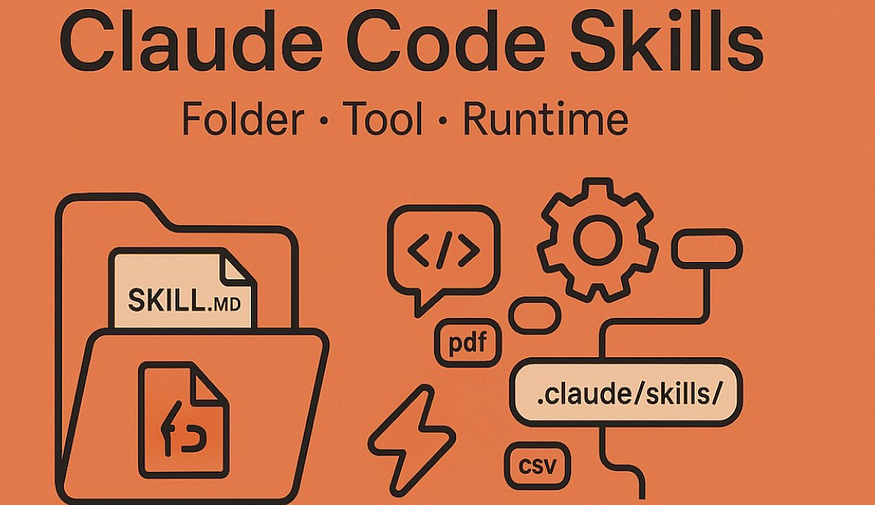
First Off: What Even Are Skills?
A lot of people think Skills are just markdown files.
Wrong. Dead wrong.
A Skill is a folder that can contain scripts, assets, data — anything the AI can discover, explore, and actually use.
Think of Skills not as “prompts,” but as a complete toolkit. Claude isn’t reading documentation — it’s calling in one “mini-expert” after another.
Anthropic put it best:
“Think of the entire file system as a form of context engineering and progressive disclosure.”
In plain English: don’t dump everything into one file. Let Claude get the right information at the right time.
The 9 Types of Skills (Straight from Anthropic)
This is where things get real.
Anthropic cataloged all their internal Skills and found they all fall into 9 categories. If you’re building your own Skill library, just copy this list.
1. Library & SDK Skills
What they do: Turn Claude from an “outsider” into your team’s “insider.”
Every company has internal libraries, CLI tools, SDKs. The outside world has no idea how these work. But when Claude uses them, you gotta tell it how to use them, when to use what, and where the bodies are buried.
Gotchas are especially critical here.
A typical Library & SDK Skill includes: reference code snippets (showing how to call things correctly), a “what not to do” list (the pitfalls), and the right parameter formats with examples.
2. Verification Skills
What they do: Give Claude eyes — so it can verify it actually got things right.
Claude is powerful, but it’s still a language model. You ask it to write code, it might mess up. You ask it to run tests, it might run the wrong ones. Verification Skills solve this — they teach Claude how to check its own work.
Anthropic says: letting engineers spend a week polishing verification Skills is absolutely worth it. Because verification directly impacts how confident Claude’s outputs are.
Picture this: you ask Claude to build a complete “signup → email verification → onboarding” flow. It writes the code, but how does it know the flow actually works?
Verification Skills teach it: open a headless browser, simulate user clicks step by step, check database state at each point, verify the email actually got sent. Record the whole thing on video — 30 seconds for you to see if Claude was slacking off.
That’s Claude’s “Quality Control Inspector.”
3. Data & Monitoring Skills
What they do: Give Claude a key to read your company’s data map.
Every company’s data is a maze. Which table connects to which, what each field means, which Dashboard shows which metrics — unless you write this down, Claude could be the smartest thing on earth and still be lost.
Ever asked Claude “show me our conversion rate from signup to paid this week” and it just… froze? Because it doesn’t know which table has signup data, which has payment data, how those tables join.
But with Data & Monitoring Skills? None of that matters. It tells Claude: signup events are in events.signup, payments in payments.order, join them via users.id—go wild.
That’s Claude’s “Data Navigator.”
4. Workflow Automation Skills
What they do: Turn those annoying daily repetitive tasks into something you can do with one sentence.
Every morning you manually 整理 (organize) yesterday‘s progress: how many PRs merged, how many tickets closed, how many deployments — then post to Slack. This junk takes 15 minutes every single day. Annoying, right?
With Workflow Automation Skills, you just tell Claude “yesterday’s standup” and it pulls the data, formats it, posts to the group. You go grab coffee, come back, done.
5. Scaffold & Boilerplate Skills
What they do: Have Claude generate code skeletons that match your standards — with one command.
Every time you start a new project, new service, new database migration — aren’t you tired of manually copy-pasting templates, changing configs, fixing paths?
Used to take hours to manually create directory structures, configure auth, set up logging, hook up deployment. No way around it.
Now you just tell Claude “create a new user service” and it generates everything according to your team’s standard template. How to hook up auth, how to log, how to write deployment scripts — all done.
That’s Claude’s “Template Generator.”
6. Code Review Skills
What they do: Give Claude a mirror so it can see what’s wrong with its own code.
Claude writes code well, but it’s not on your team. Doesn’t know your team’s coding standards, which patterns are strictly forbidden, which tests must be written.
Result: variable naming totally inconsistent with team standards, error handling half-assed, didn’t even consider null pointer situations — and when you point it out, Claude thinks it did great.
Code Review Skills tell Claude upfront: these are the “red lines” the team absolutely won’t tolerate, these are the “best practices” that must be followed. It can even invoke a dedicated “adversarial review” sub-agent — basically getting someone else to nitpick until nothing remains.
That’s Claude’s “Code Quality Gatekeeper.”
7. DevOps Skills
What they do: Turn deployment processes that used to require you glued to your screen for hours into something that just works with one click.
Manually deploying code, handling PRs, monitoring CI — simple stuff, but annoying. Do it several times a day and the time adds up fast.
DevOps Skills automate all of it. Build the project, run smoke tests, gradually increase traffic while monitoring error rates, auto-rollback if things go wrong — you just tap “confirm” on your phone.
That’s Claude’s “DevOps Automation Engineer.”
8. Debugging Skills
What they do: Turn Claude into a grizzled veteran sysadmin who can find the root cause from just a few clues.
Production issue hits. Slack blowing up with alerts, logs full of red Errors. But where’s the actual problem? How to check? Which system’s logs to look at?
Used to take flipping between systems for hours to figure it out.
Now you just message in Slack “check this order” and Claude automatically: checks basic info from the order service, gets payment transaction from the payment service, confirms user status, correlates all the logs — hands you a complete “diagnosis report.”
That’s Claude’s “Detective Sherlock Holmes.”
9. Operational Skills
What they do: Turn those “always meant to do but always forget” maintenance tasks into scheduled automated jobs.
Every team has “important but not urgent” tasks: cleaning up orphaned resources, managing dependency versions, monitoring cost anomalies. Skip ’em and problems pile up. Do ’em and you never know when.
Operational Skills handle all this. They scan for orphaned resources regularly, post the list to Slack for confirmation, clean up in proper order after approval. And every step has a “confirmation” mechanism — what they call “Guardrails.” Claude doesn’t just delete things — it waits for you to approve.
That’s Claude’s “Operations Butler.”
Key Tips from Anthropic
1. Gotchas Are the Most Valuable Part
Let me explain what “Gotchas” means.
In English, it refers to those pitfalls that people will definitely fall into unless you tell them about them. Like in chess — you gotta tell your opponent about the trap, or they’ll definitely lose.
Same with Skills.
The more you use Claude, the more you’ll notice it trips up in specific places. Like how it always passes the wrong parameters to a certain API, always ignores a certain edge case, always uses the wrong version of a library.
Gotchas are writing down all these “definite failure points” in advance.
Anthropic says these sections should be built up from common failure points when Claude uses the Skill. Every time it crashes, add one. Update Skills over time to capture new Gotchas continuously.
That’s a moat built with time.
2. Don’t Be Too Specific — Give Claude Room to Adapt
Claude tries its best to follow your instructions. But Skills are reusable, and the more reusable they are, the more you risk being too specific.
Give Claude the information it needs, but also give it flexibility to adapt to the situation.
3. Frontend Design Skill Is a Perfect Example
Anthropic engineers built a “Frontend Design” Skill specifically to improve Claude’s design taste. Iterated countless times, and the final result: completely avoided the “AI design trinity” — Inter font + purple gradients.
That’s the best example of “pulling Claude out of its default thinking.”
Most Liked

joeb
Do the guys from OpenAI have something similar for Codex?

adamaiken89
Happy to see how to use it at work.
Popular Ai topics






Other popular topics





Sponsor Spotlight

We build trusted fault-tolerant systems that scale to billions of users.

Categories:
Sub Categories:
Popular Portals
- /elixir
- /rust
- /wasm
- /ruby
- /erlang
- /phoenix
- /keyboards
- /python
- /js
- /rails
- /security
- /go
- /swift
- /vim
- /java
- /clojure
- /typescript
- /emacs
- /haskell
- /svelte
- /onivim
- /kotlin
- /react
- /c-plus-plus
- /crystal
- /tailwind
- /gleam
- /ocaml
- /elm
- /vscode
- /flutter
- /html
- /deepseek
- /ash
- /zig
- /opensuse
- /centos
- /php
- /react-native
- /scala
- /lisp
- /sublime-text
- /textmate
- /nixos
- /debian
- /agda
- /django
- /deno
- /nodejs
- /kubuntu
- /arch-linux
- /ubuntu
- /spring
- /revery
- /manjaro
- /julia
- /lua
- /diversity
- /quarkus
- /laravel
Devtalk Sponsors

Practical resources that improve the lives of professional developers.
We build trusted fault-tolerant systems that scale to billions of users.

Real-time error tracking, performance insights, and observability for devs.

Supporting innovation across the BEAM ecosystem.

We build reliable cloud platforms for business-critical systems.

Develop your skills with books, videos, and courses.

Catch errors, track performance, monitor hosts and more.

Enabling companies to succeed by building software people love.

Courses that move you from confusion to "Aha, now I get it!"

Publishing Linux Magazine, ADMIN, and MakerSpace for 25+ years.